문서 작성을 하려다 손이 멈춘다. 흰 화면 위에서 커서만 깜빡인다. 아이디어는 있지만 이를 어떻게 전개해야 할지 감이 오지 않는다. 결국 검색창을 열어 자료를 찾고, 다시 문서로 돌아와 붙여 넣고 정리하는 과정을 반복한다. 이 과정에서 흐름은 끊기고, 작업은 점점 더 산만해진다. 보고서를 작성해 본 사람이라면 누구나 한 번쯤 겪어봤을 불편이다.
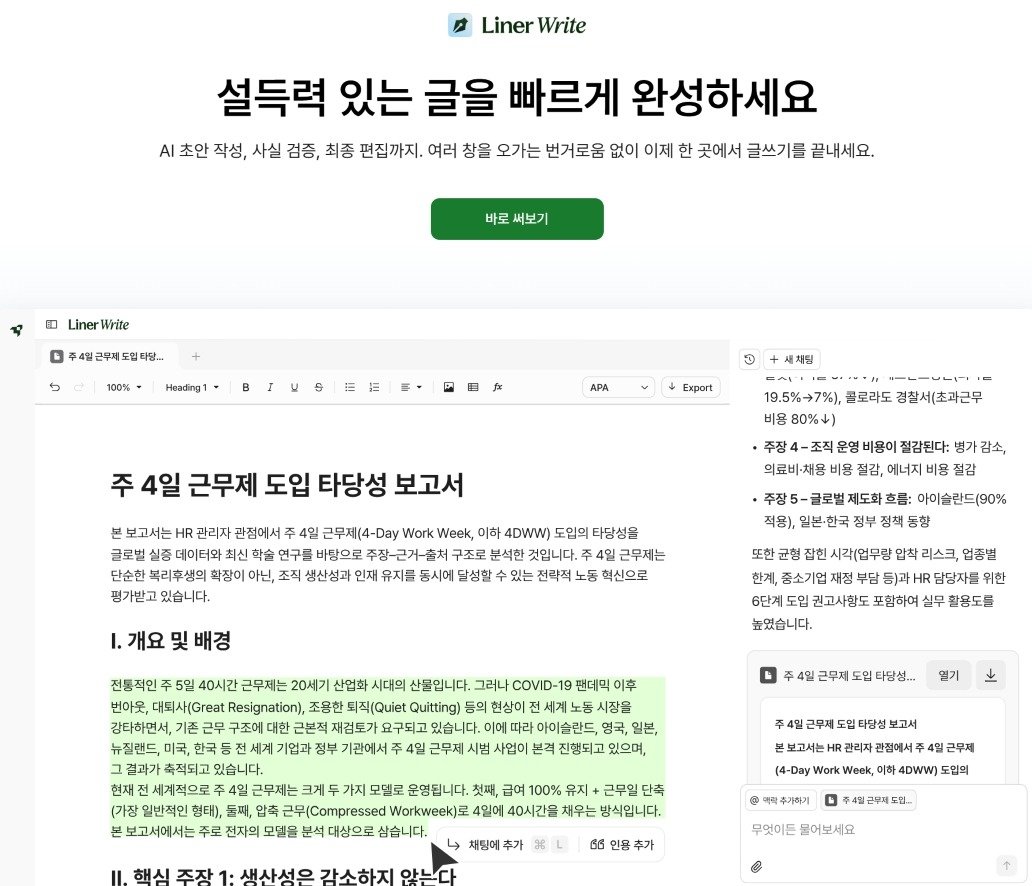
AI 에이전트 스타트업 라이너(Liner)는 이처럼 파편화된 문서 작업의 비효율을 개선하기 위해 ‘라이너 라이트(Liner Write)’를 출시했다. 이 서비스는 자료 조사부터 초안 작성, 정리에 이르는 과정을 하나의 흐름으로 통합해, 비즈니스 문서 작성에 특화된 AI 에이전트를 지향한다.
Liner Write / Source=Liner
Existing AI only helped with ‘writing’… Limitations surfaced in practical useExisting AI writing tools are undoubtedly convenient, but their limitations in actual work situations have been clear. Sentences may be natural, but they still require fact-checking, and while they may provide structure, they often lack depth. In the end, human effort is still required to reorganize and verify the content.
Liner Write’s strength lies in offering an uninterrupted workflow based on ‘Liner Deep Research’, replacing the fragmented process of copying AI answers and pasting them into documents. When instructions are entered in the Liner Write editor window, the AI reflects the requests in real time within the document by modifying, adding, or deleting content. It also provides reliable information through source citations and reference features.
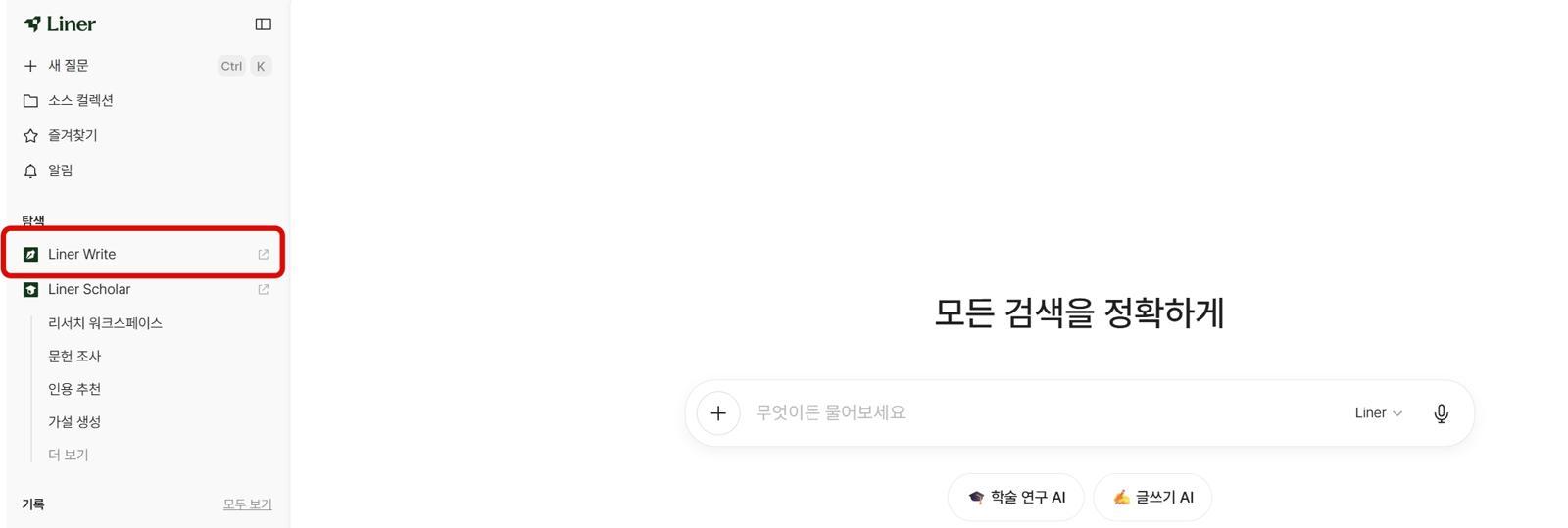
Liner Write is operated on a web browser without any separate installation process. Users can easily start high-quality document work by selecting the ‘Liner Write’ button below the search box on Liner’s main search screen or by choosing ‘Liner Write’ mode from the left workspace.
Using Liner Write without separate installation / Source=ITDongA
High-level reports can be written in five stepsA test report was written using Liner Write. By going through roughly five steps—▲Inputting ideas ▲Reviewing the draft ▲Reinforcing sources ▲Adjusting tone and manner ▲Enhancing credibility and final review—it was possible to complete a high-quality report.
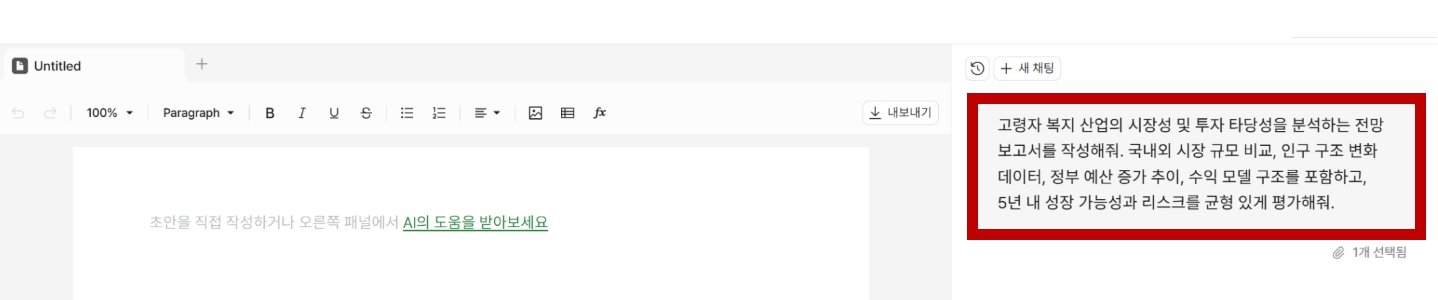
First, the purpose of the text and the initial ideas were entered as concretely as possible into the Liner Write editor window. A report analyzing the senior welfare industry market was requested.
Requesting report writing in Liner Write / Source=Liner
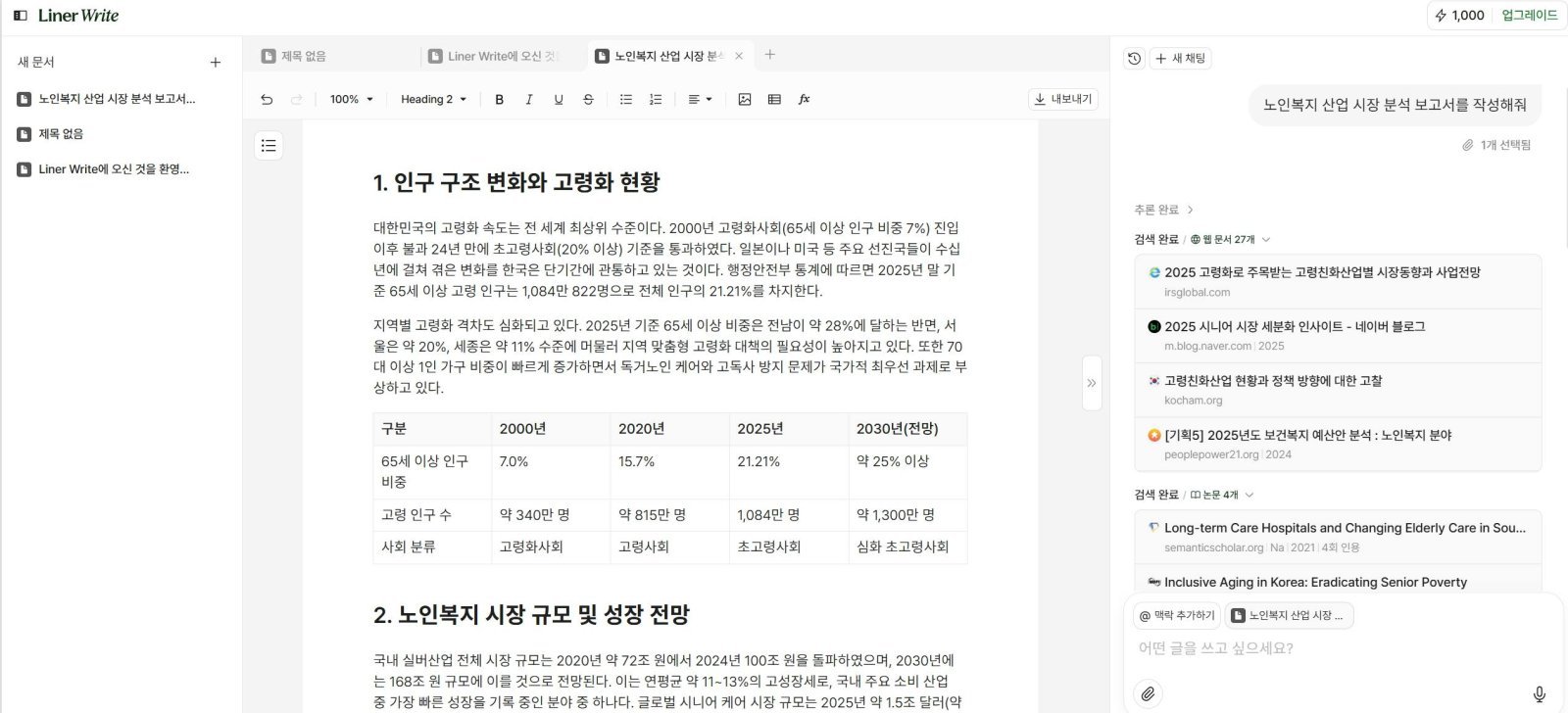
Liner presented a report draft based on reliable sources, including professional academic information and articles.
Liner Write generating a report draft / Source=ITDongA
While Liner Write is drafting the report, users can observe how the AI structures the document and verify the logical validity of the flow. Although it is a draft, the report suggested by Liner Write was useful because its core structure—▲Market size ▲Growth drivers ▲Investment points ▲Risks—was solidly organized.
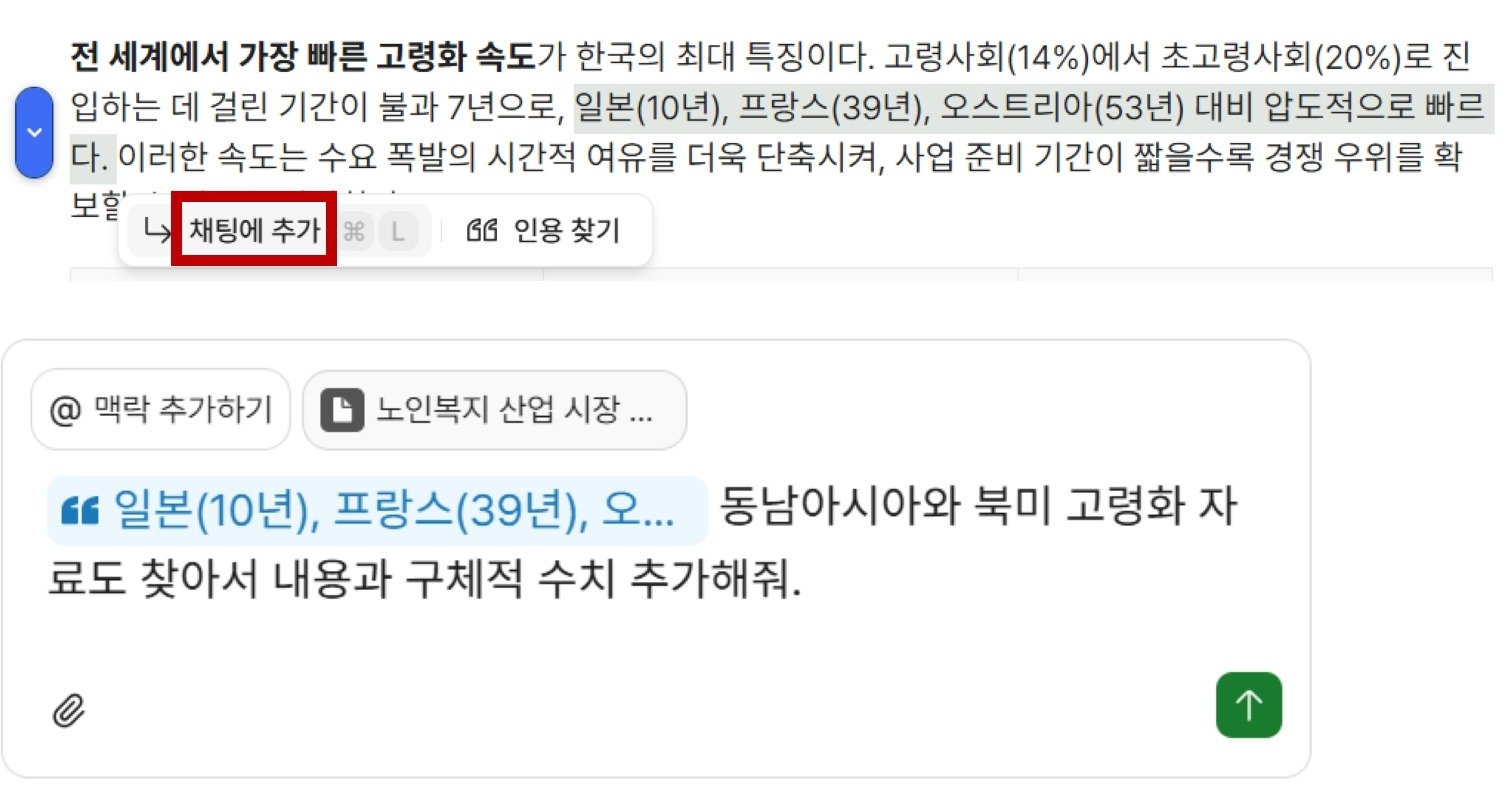
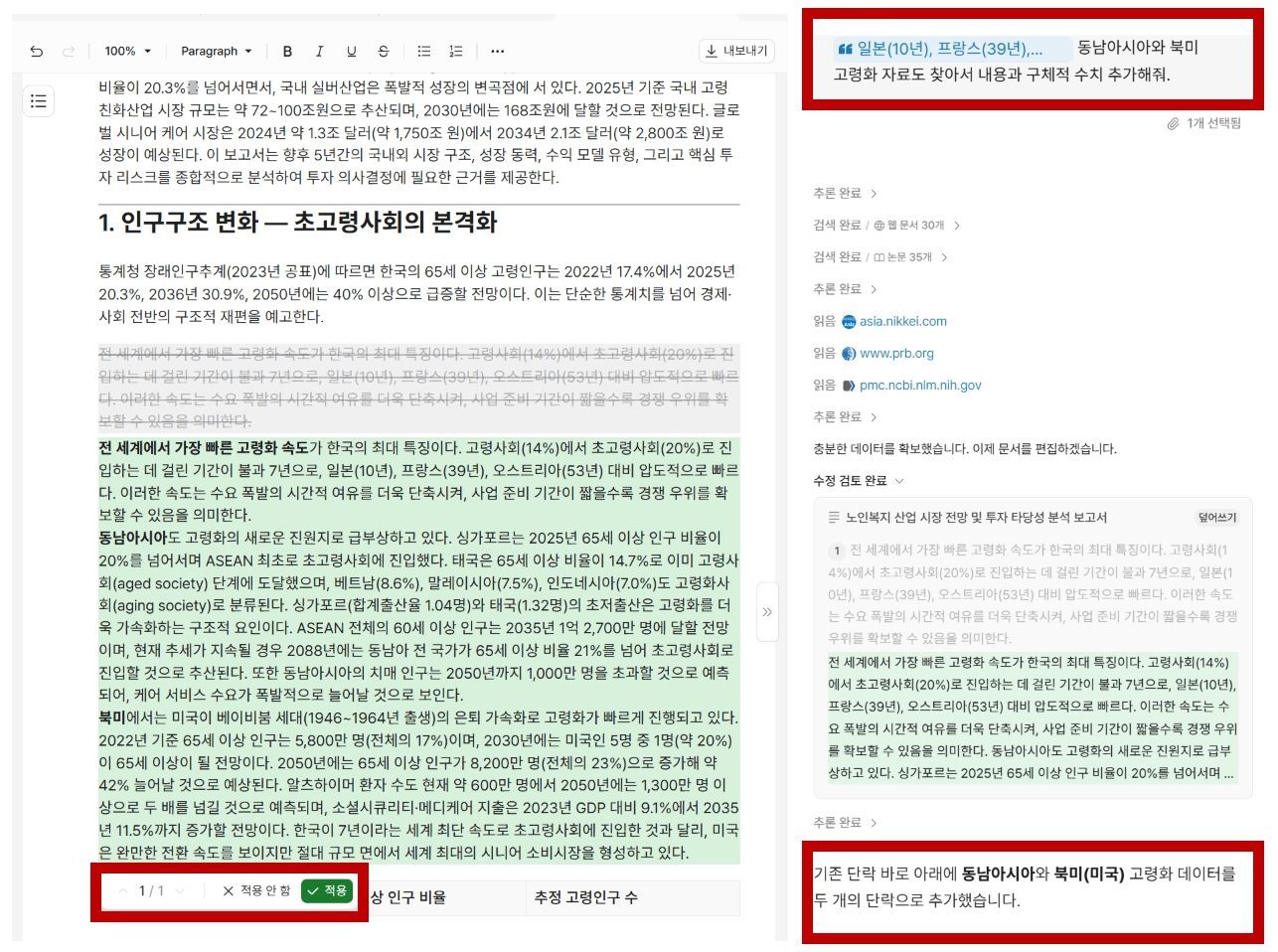
When a user drags the section to be reinforced in the draft and asks for more detail, the AI immediately supplements that part. It highlights the revised content and allows users to choose whether to apply it. Since there is no need to conduct separate web searches to reinforce content and then copy and paste that information, the workflow is not interrupted.
Requesting additional detail using the drag function / Source=Liner
Liner Write highlighting revised content and helping users decide whether to apply it / Source=Liner
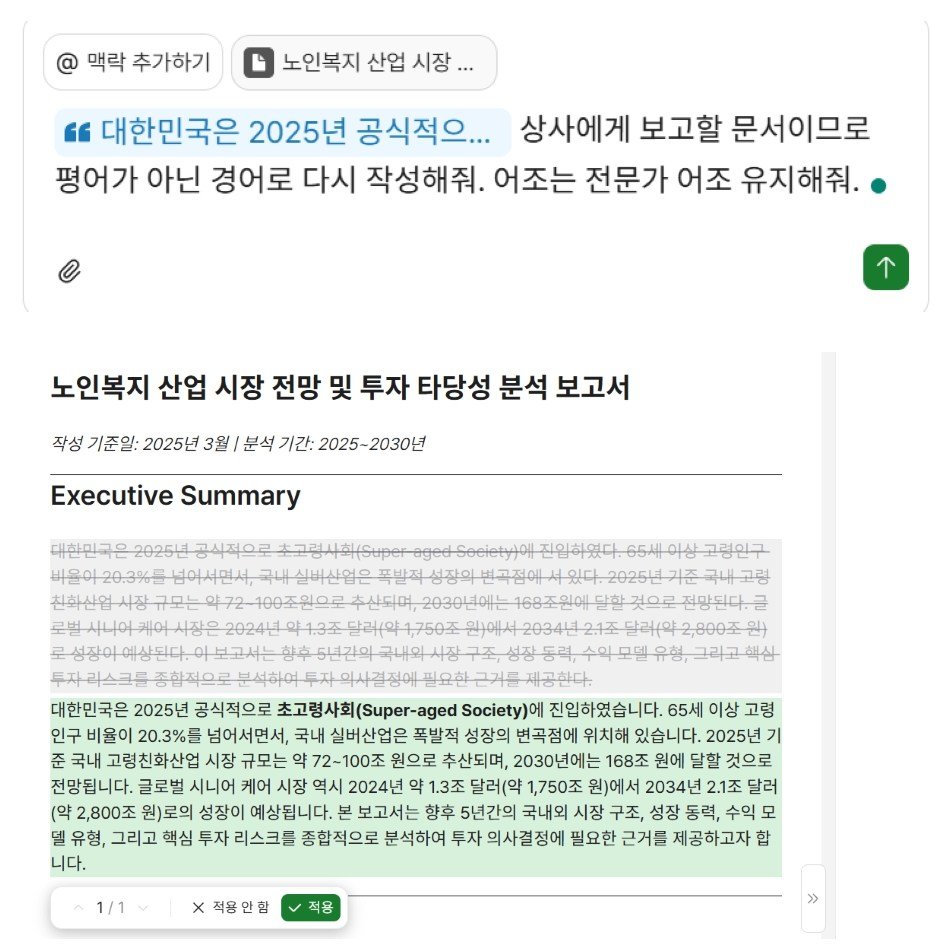
The tone and manner of the document can also be adjusted. For example, by dragging a specific section and requesting “Write this in more detail” or “Use a more professional tone,” users can modify the tone and manner of the document in the desired direction.
When asked to change the tone from informal to polite, Liner Write immediately reflects the request / Source=Liner
When Liner Write was asked to change the report’s tone from informal to polite, it immediately applied the request and presented the revised content.
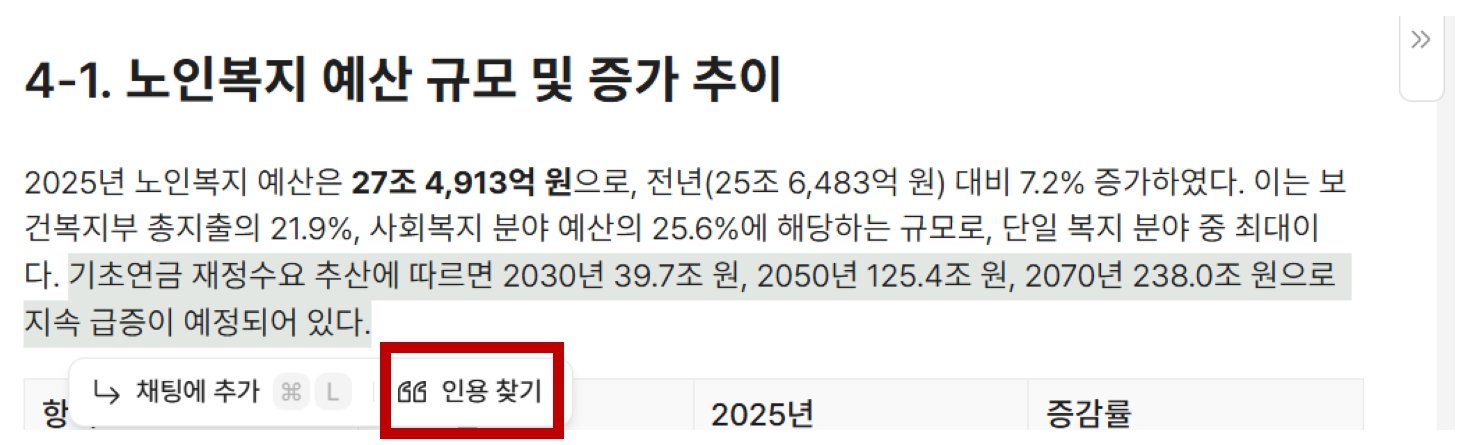
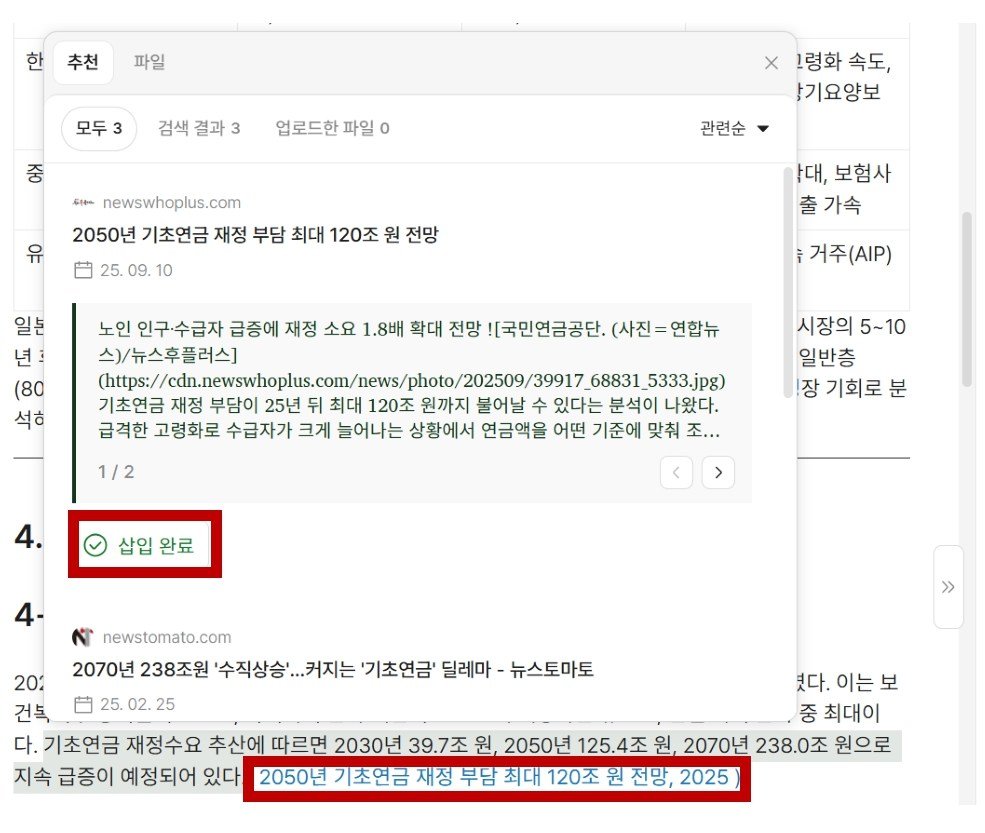
Liner Write identifying data sources and adding citations / Source=Liner
Citation sources that can enhance the report’s credibility can also be added. If there is data in the report for which a source should be indicated, users can click “Find citation” and then select “Insert completed.” By applying international standard citation formats such as APA and MLA, the tool helps secure objective credibility for business documents.
Liner Write identifying data sources and adding citations / Source=Liner
Finally, users can review detailed elements such as report fonts and line spacing and add their own perspectives and expressions to enhance the completeness of the text. Afterward, the document can be converted into formats such as Word or PDF for use in actual work.
How can it be used in real-world work settings?Liner Write can serve not just as a tool that writes on behalf of users, but as an assistant that helps resolve workflow bottlenecks experienced by professionals in various fields.
For example, sales representatives can use it to draft customized proposals for each client or initial emails for overseas customers. If the functionality to analyze complex market data and generate industry insight reports is used appropriately, it can strengthen the logical persuasiveness of proposals.
For PR professionals, who spend a large portion of their time on content production, it can be used as a collaboration tool for drafting press releases or planning blog and social media content. By leveraging the diverse tone and manner features provided by Liner Write, they can efficiently produce outputs that maintain fact-based accuracy while aligning with the brand voice.
For small business operators with limited human resources, it can have the effect of supplementing professional document-writing staff. In drafting documents that are complex and time-consuming to prepare, such as government support project proposals, IR materials, and regular operational reports, it is expected to significantly reduce the physical working time required to create initial drafts.
The tool is also highly valuable in consulting fields that require precise logical structures. It can effectively summarize vast amounts of material for establishing new market entry strategies. When structuring competitor positioning and risk reports, using Liner Write’s knowledge structuring feature can also improve data consistency.
Kim Jin-woo, CEO of Liner, said, “Liner has significantly reduced AI hallucinations through its deep research system, which recorded a top-tier score of 95.3 on SimpleQA, a global AI performance evaluation benchmark. As a result, users can complete highly reliable documents even in complex writing situations that require specialized knowledge or logical structuring,” adding, “Instead of engaging in repetitive document editing, users will experience a dramatic improvement in work efficiency as they focus on continuous dialogue and document work with Liner Write.”
ITDongA reporter Kim Dong-jin (kdj@itdonga.com)
ⓒ dongA.com. All rights reserved. Reproduction, redistribution, or use for AI training prohibited.
Popular News